
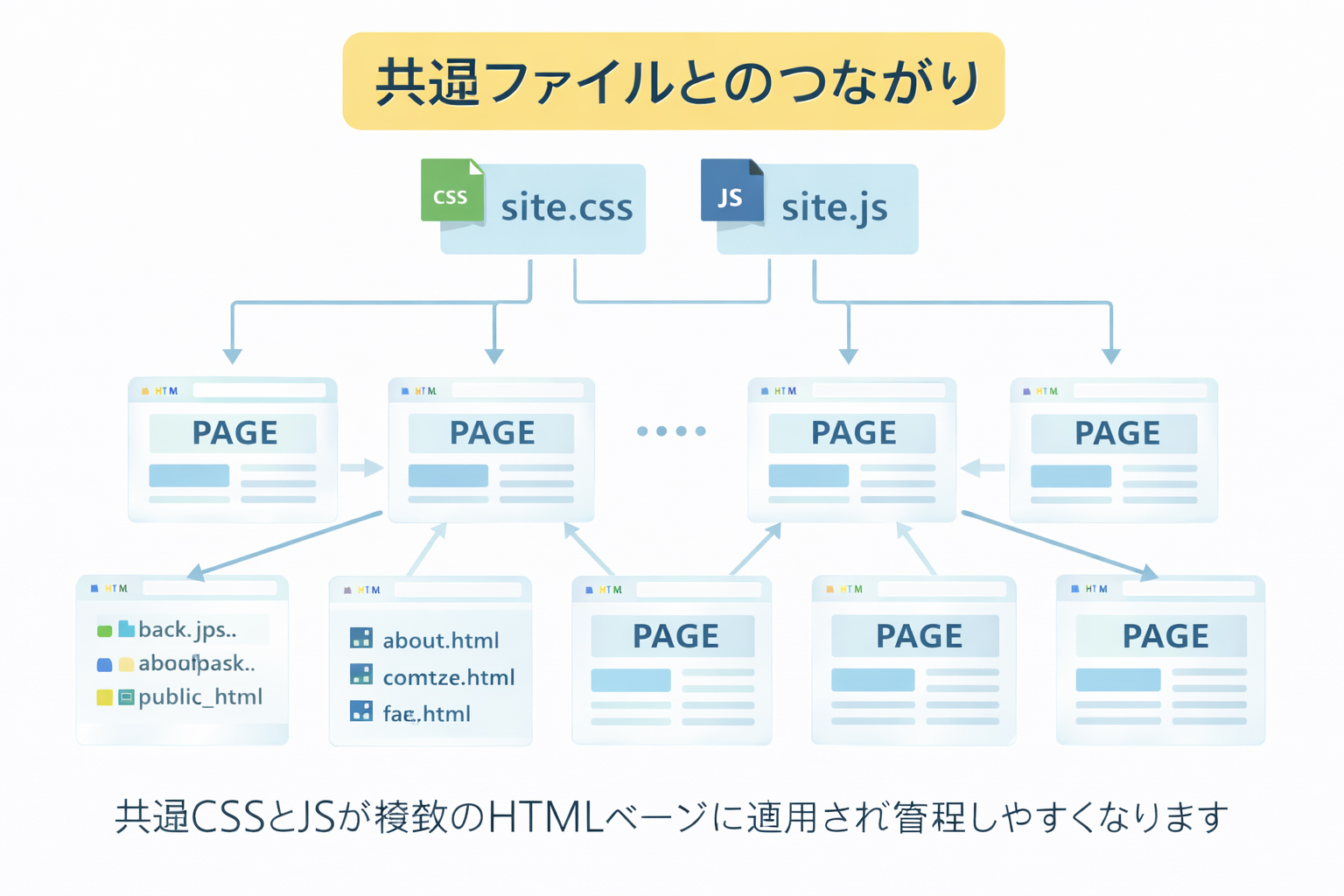

Shared files make everything calmer.
If every page invents its own styling and JavaScript, the site becomes heavier, harder to fix, and more inconsistent. Shared files let the site behave like one system instead of many unrelated pages.
Why this step matters so much
By now, you already have:
- a defined site purpose and structure
- approved filenames
- approved image assets
- a saved image URL list
Now it is time to create the shared front-end foundation:
site.cssfor shared visual stylingsite.jsfor shared interaction and behavior
These two files help every future page stay tighter.
HTML should carry structure and content. Shared files should carry design and behavior.
That separation is one of the most useful habits in practical website building.
What belongs in site.css?
site.css is where the visual system of the website lives. It usually includes things like:
- colors
- fonts
- spacing rules
- header and footer styles
- buttons
- cards
- section spacing
- responsive layout rules
- mobile breakpoints
In other words, it holds the shared design language.
What belongs in site.js?
site.js is where the shared site behavior lives. That might include:
- mobile navigation toggle
- small interactive effects
- checklist counters
- reveal animations
- copy buttons for prompts or code
- current year updates
- current navigation highlighting
It should support the site, not overwhelm it.
Do not use JavaScript just because you can.
A training site should feel stable, readable, and fast. Only add JS where it improves usability or clarity.
Why shared files improve ChatGPT page generation
Once site.css and site.js exist, later page prompts become much stronger.
Instead of asking ChatGPT to reinvent styles for every page, you can say:
Use the existing /site.css and /site.js.
Do not add page-level style blocks unless absolutely necessary.
Keep the HTML clean and rely on the shared classes.
That changes the whole quality of the output.
What happens when you skip this step
If you skip shared CSS and JS, page generation often becomes weaker:
Repeated CSS
Each page may carry large embedded style blocks, often with slightly different spacing or colors.
Visual drift
Headers, buttons, cards, and footers can start looking inconsistent from page to page.
Harder maintenance
A simple style change later may require editing many pages instead of one shared file.
Messier HTML
The page files become longer, less readable, and harder to trust.
What shared CSS should do for a training site
A strong training-site stylesheet should help pages feel:
- clear
- calm
- mobile-friendly
- consistent
- readable
- modular
For a bilingual J/E training site, it should also support:
- English and Japanese text comfortably
- sticky headers
- lesson layouts
- sidebar panels
- callouts and checklist boxes
- section cards and next-step navigation

What shared JS should do for a training site
A strong training-site JavaScript file should stay focused on utility:
- mobile menu open and close
- simple reveal effects
- copy prompt buttons
- lesson checklist progress
- current-year replacement in the footer
These are good examples of shared behaviors because many pages can use them.
One of the biggest lessons on this site
This site strongly teaches:
Makesite.cssandsite.jsearly so page generation stays tight later.
That is not just a coding preference. It is a workflow control method.
How to include shared files in HTML pages
Once the shared files exist, pages can include them consistently.
Example
<link rel="stylesheet" href="/site.css">
<script defer src="/site.js"></script>
For a site with a root-level shared CSS and JS, this keeps page templates simple and predictable.
Why this helps mobile responsiveness
Mobile responsiveness is not something you want to solve page by page if you can avoid it. Shared CSS is where mobile rules can live consistently:
- header behavior on small screens
- responsive grids
- button sizing
- card spacing
- sidebar collapse behavior
- image scaling
That is a big reason this step belongs before large-scale HTML creation.
Mobile responsiveness is not an afterthought. It is part of the shared system.
If you solve responsive behavior in the shared CSS, every future page starts from a stronger place.
Example: weak page-level approach vs strong shared-file approach
Weak approach
Every HTML page includes its own long <style> block.
Every page has slightly different margins and colors.
Every page reinvents its own mobile adjustments.
Strong approach
Shared /site.css defines colors, layout, cards, buttons, and breakpoints.
Shared /site.js defines menu behavior and interactive helpers.
Each page focuses mainly on structure and content.
The second approach is exactly what this site recommends.
How to ask ChatGPT for shared CSS and JS
A strong prompt at this stage sounds like:
Please create /site.css and /site.js for a bilingual J/E training site.
Requirements:
- high quality
- mobile responsive
- clear cards, sections, and lesson layouts
- sticky header
- clean footer
- reusable classes
- minimal page-level CSS later
- calm, modern, trustworthy style
- JS only for practical shared behaviors
That is much stronger than just saying “make some CSS.”
What classes and patterns should the shared CSS support?
A strong system should support common building blocks like:
.site-header
.brand
.site-nav
.hero
.section
.card
.card--step
.lesson
.panel
.content
.tip-box
.warning-box
.prompt-box
.webbie-box
.next-lesson
.site-footer
The more reusable the building blocks are, the easier later page generation becomes.
Why this helps the rest of the workflow
Once site.css and site.js are in place:
- detail pages can be generated more quickly
- section pages can reuse the same structures
- the site feels like one brand
- the homepage can later inherit a mature design system
- grading the site becomes more meaningful because the system is consistent
How this connects to your image system
Shared CSS and JS work especially well now because you also already have:
- stable filenames
- stable image URLs
This means later HTML prompts can rely on:
- approved page destinations
- approved visual assets
- approved shared styles and interactions
That is a very strong combination.

Common beginner mistakes
1. Putting everything in each HTML page
This creates bloated page files and makes later design changes painful.
2. Treating site.css like a random dump
A strong stylesheet should be organized and intentional, not just a pile of emergency fixes.
3. Using too much JavaScript
The goal is a reliable training site, not a flashy front-end experiment.
4. Forgetting mobile behavior
A site can look strong on desktop but fail badly on phones if responsiveness is not built into the shared system.
5. Generating many pages before the system exists
This usually creates more cleanup later because early pages will not match later ones.
Do not build twenty pages and then try to invent the design system afterward.
The design system should come first so the pages can follow it.
What you should have by the end of this step
By the end of Step 08, you should have:
- a shared
site.css - a shared
site.js - mobile-responsive rules
- reusable classes for pages and lessons
- a calmer foundation for all future HTML generation
Shared files are one of the best defenses against HTML sprawl.
They make the site easier to build, easier to revise, easier to scale, and easier to trust.
Mini cheat sheet
site.css should handle:
- colors
- spacing
- typography
- cards
- sections
- header and footer
- mobile responsiveness

site.js should handle:
- nav toggle
- small shared interactions
- checklist helpers
- reveal effects
- copy helpers
- utility behaviors

Build these before generating many more pages.Can you do these six things?
Completed: 0/6